Meet Sparky: My AI-Driven Homelab Manager (n8n & Ollama)
📅 JAN 18, 2026 • ⏱️ 10 MIN READ
The Introduction
As a homelab enthusiast, you know the struggle: you have beautiful dashboards for everything. Proxmox for your VMs, UniFi for your network, Home Assistant for your home, and Synology for your data. But if something goes wrong, or you need a quick status update, you have to check five different interfaces.
I wanted something different. I wanted a central brain. An assistant I can simply text via Telegram: "How is the server doing?" or "Restart the Zigbee stick".
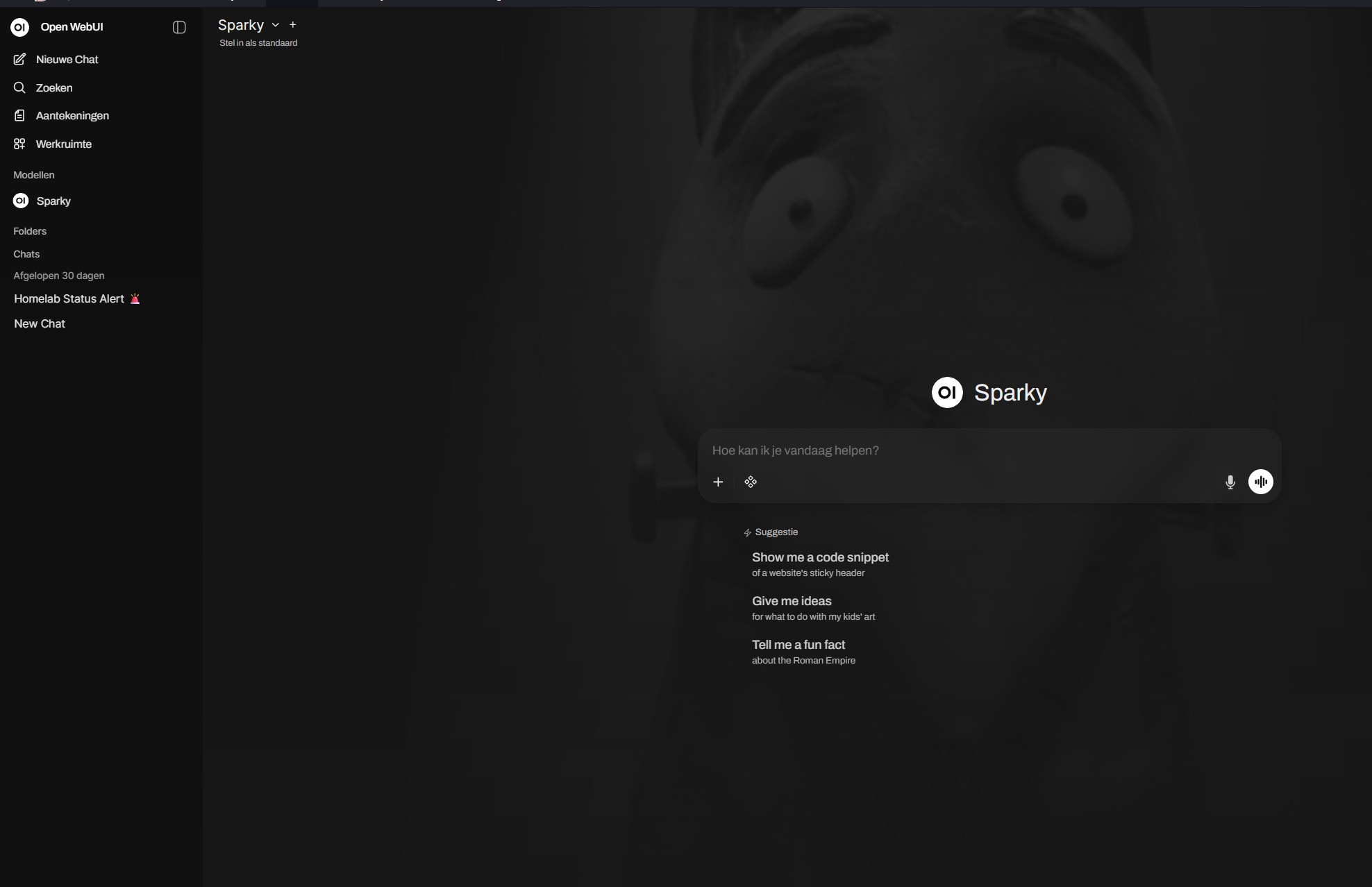
Sparky as an AI agent within Open WebUI
Meet Sparky: a fully automated, AI-driven manager running in n8n, connected to a local LLM via Ollama. In this post, I dive deep into the architecture and how it works.
🏗️ The Architecture: A Modular Spiderweb
The power of Sparky lies not in one giant script, but in its modular design. Sparky is the central "AI Agent" that delegates tasks to specialized "Worker" workflows.
The core workflow, Sparky Homelab Management, acts as the orchestrator. It receives input, gathers context, lets the AI think, and then calls the appropriate tools.
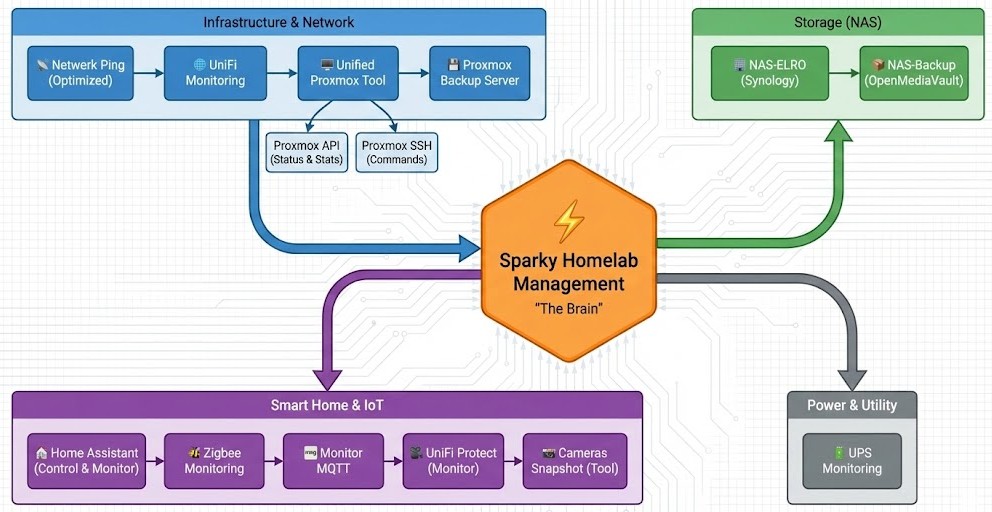
Schematic overview of the modules
The layers of the system:
- The Triggers (Ears): Telegram, Webhooks, and time-based Cron jobs.
- The Monitor (Senses): Collects real-time data from all subsystems.
- The Brain (AI): An n8n AI Agent node connected to Ollama.
- The Tools (Hands): Sub-workflows that execute actions (SSH, API calls).
- The Safety: A "Human-in-the-Loop" mechanism for critical actions.
📡 Step 1: Input & Monitoring (The Senses)
As soon as Sparky is triggered (e.g., by a message on Telegram or a daily check), it starts building context. An AI is only as smart as the data it receives.
Via a parallel Merge structure, the following systems are read at lightning speed:
Infrastructure
- Proxmox & Backups: Status of nodes, VMs, and the Proxmox Backup Server.
- Network: An optimized Ping Scanner checks connectivity, and the UniFi Monitor reports on WiFi clients and network health.
Storage (NAS)
- Synology (NAS-ELRO): Retrieves CPU, RAM, and Volume status via the DSM API.
- OpenMediaVault (NAS-Backup): Monitors disk usage and uptime via SSH.
IoT & Power
- Zigbee & MQTT: Checks if the coordinator is online and the MQTT broker is processing messages.
- UPS: Checks battery status and load in case of power failure.
All this data is merged into one large JSON object that is fed to the AI as "Short-term Memory".
🧠 Step 2: The AI Brain (Ollama & Tools)
This is where the magic happens. Instead of hard-coded IF/THEN statements, I use an AI Agent Node in n8n. I use a locally hosted model via Ollama (like Llama 3 or Mistral), ensuring sensitive data never leaves my network.
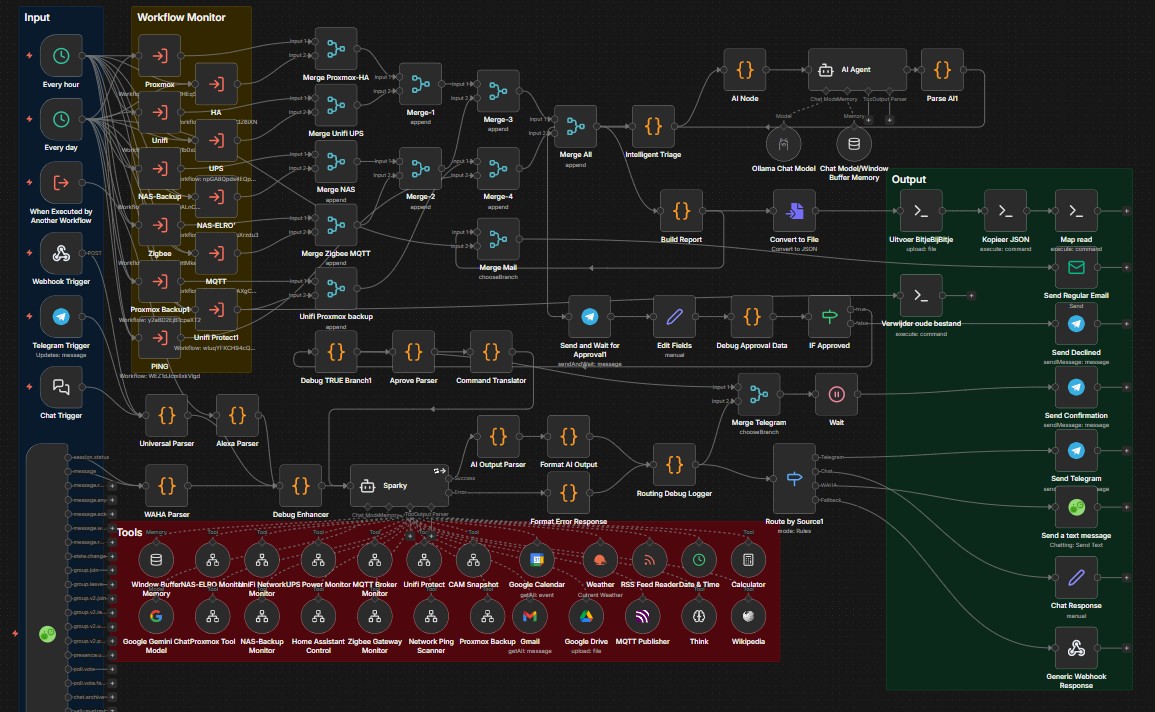
The Sparky Homelab Management workflow in n8n
Dynamic Tools
The AI has access to a toolbox ("Tools"). These are definitions that refer to other n8n workflows. The AI decides independently which tool it needs based on my question.
- Unified Proxmox Tool: This is a smart router. If the AI decides something needs to happen with Proxmox, it calls this tool. This tool then determines whether it's a simple status check (via API) or a hard action like a reboot (via SSH).
- Camera Snapshot: If I ask "Is someone at the door?", the AI understands it needs to use the Camera Snapshot tool to pull an image from UniFi Protect.
- Home Assistant Control: For controlling lights or scenes.
Buffer Memory
Sparky has memory. If I ask: "How is the NAS doing?", it answers. If I then ask: "And how much space is left?", it understands that "it" refers to the NAS we were just talking about.
🛡️ Step 3: Human-in-the-Loop (Safety)
An AI that can independently execute commands on your servers is terrifying. What if it hallucinates and decides to wipe your firewall? That's why I built an Approval Workflow for critical actions (like restarting, shutting down, or changing configurations).
- The AI proposes an action.
-
The workflow pauses and sends me a message on Telegram:
"I want to restart the Zigbee Container. Is that allowed?" [ ✅ YES ] [ ❌ NO ] - Only when I physically press the button in Telegram does the workflow proceed and the command is actually executed via the Send and Wait for Approval node.
📊 Step 4: Output & Reporting
Sparky communicates back in different ways:
- Chat Response: Direct answer in Telegram, neatly formatted with emojis and status indicators.
- BitjeBijBitje Report: Daily, Sparky generates a comprehensive HTML/Markdown status report of the entire homelab. This is converted to a file and automatically uploaded to my documentation system.
🚀 Use Case: A Practical Example
Suppose my Zigbee network is responding slowly.
Me: "Hey Sparky, Zigbee is acting up. Can you check?"
Sparky: "Zigbee seems to have stalled. Shall I restart it?"
Me: [Click YES]
root@docker:~# systemctl restart zigbee2mqtt
Result: "Service restarted. Everything looks green again!"
Conclusion & Downloads
With Sparky, my homelab management has transformed from "reactive firefighting via 5 apps" to "proactive chatting with my house". By combining the power of n8n with the intelligence of local LLMs, I have a system that not only monitors but also understands and acts.
Build it yourself?
Want to build this yourself? The workflows are modular, so start small (e.g., only monitoring) and add the AI layer later!
📥 Download the Templates:
You can find the n8n workflow templates on the configs page:
Go to Configs Page
📺 Watch the Demo:
See the workflow in action on YouTube:
Watch video on YouTube