The Battle between Excel and Reality
📅 January 14, 2026 • ⏱️ 5 min read
Preparations for our new home are in full swing. And as can be read elsewhere on the site: the plan is to do it right this time. No half-baked solutions, no duct-tape infrastructure, but a solid foundation. Today was all about that foundation: mapping out the nervous system of the house.
Countless scenarios had already passed through my mind. But thoughts are fleeting; it was time to anchor them in reality. I decided to grab the floor plans and draw everything in, complete with watertight coding.
Traumas from the Past
Why this obsession with coding? Because the past has been a hard teacher. I know what it feels like years later to be desperately looking for that one specific data connection. Even with a professional data tester in hand, such a job quickly turns into a frustrating workout: up and down the stairs five times, tester in, tester out, and still no signal. Those moments remind you that technology, no matter how advanced, can punish you mercilessly for laziness in the past. That had to change.
The Utopian Roadmap
I drew up a plan that theoretically couldn't fail:
- Draw everything on the floor plan.
- Make a list of the various components with logical naming.
- Provide everything with a unique code.
It sounded like a good plan. A perfect plan even. Full of courage, I collected everything we needed (and secretly mainly everything I wanted to have). I opened Excel, the favorite tool of the control freak, and created a beautiful overview. A tight IP table, everything neatly in order, linked to data points and IO devices.
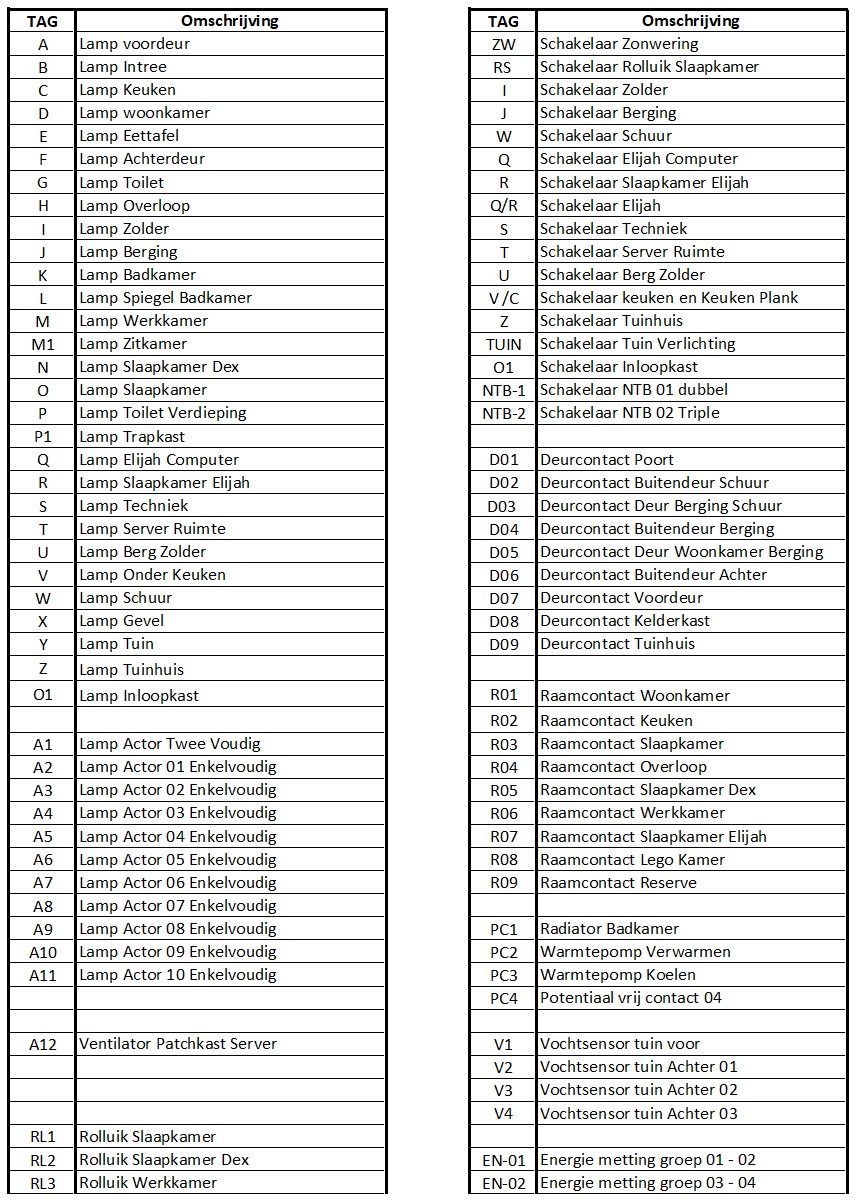
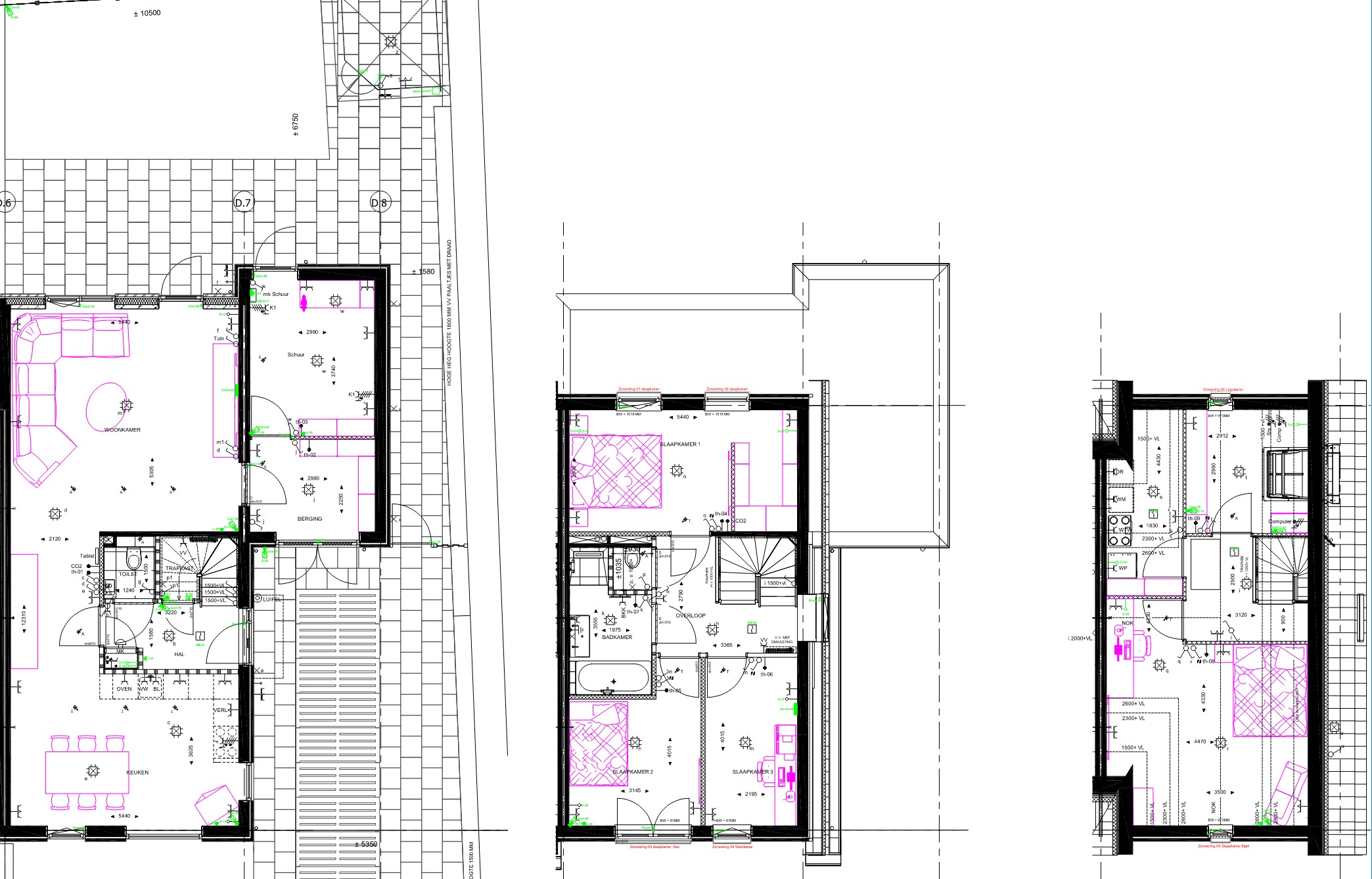
At the end of the ride, I had a floor plan full of symbols and a spreadsheet that was rock solid. So I thought.
The Disillusionment of Reality
Then came the collision with reality. What looks beautifully sorted in an Excel sheet rarely follows the logic of a physical house. The order on my list forced me into a chaotic hopscotch route on the drawing.
So: delete everything. Start over. This time the other way around: make the drawing leading and adopt that order in the spreadsheet. "Easier said than done," you might say. After an hour of meticulous filling in, checking, and double-checking, it seemed correct. I started copying the codes onto the drawing, until I came to the painful discovery that I had forgotten exactly that one connection point that I was sure I had covered.
The Infinite Loop
"Tomorrow is another day," I thought. But a night's sleep brings not only rest, it also brings new ideas.
"Actually, we still want an extra data point there."
"And while we're at it: a camera at the back door is essential."
And so the whole circus started again. This process repeated itself for about a week. Drawing, making a list, discovering an error, adding a feature, adjusting the list, losing the order, starting over. It seemed like a script with an infinite loop.
Acceptance: Function over Form
Eventually, I came to a conclusion that was hard for the perfectionist in me to swallow, but a relief for the realist: it is not a global disaster if data connection D01 is physically next to D27.
The aesthetics of an ascending number series on the wall are subordinate to the operation of the system. The most important thing is that it works, and that I can see at a glance in the patch panel what goes where. That the house is smart, but not so complex that I lose my way myself.
The final score on paper:
- 📡 48 Data connections (the lifelines for the local AI and servers).
-
🤖 99 Individual devices, ranging from:
- Actuators and Thermostats
- CO2 sensors
- Door and window contacts
- Motion detectors
It has become a complex whole, but one that is ready for the future. Now just to "simply" install it. But that is a worry for later; for now, the paper tiger has been tamed.